 ChinaBuddy
WeChat Pay for Foreigners in China: How to Set Up and Use It
Set up WeChat Pay with an eligible overseas bank card and learn how foreign visitors can use it for payments in China.
IN THIS GUIDE
Can foreigners use WeChat Pay in China? Yes. Eligible international visitors can link supported overseas bank cards to WeChat Pay and make everyday purchases without opening a Chinese bank account.
WeChat Pay is widely used across mainland China, from restaurants and convenience stores to shopping malls and tourist attractions. It's also integrated into WeChat, one of China's most popular messaging apps.
However, registering for WeChat and activating WeChat Pay are not the same thing. You'll need to complete the necessary payment setup before relying on it.
This guide explains how to set up WeChat Pay as a foreigner, which cards may work, and how to avoid common payment problems during your trip.
Can Foreigners Use WeChat Pay Without a Chinese Bank Account?
Ask Buddy ↗Yes. WeChat Pay supports eligible international bank cards for purchases at participating merchants in mainland China.
To get started, you'll generally need:
- The official WeChat app on your smartphone.
- A registered WeChat account.
- A supported international bank card.
- Your passport for identity verification when requested.
- A working phone number and internet connection.
You don't necessarily need a Chinese phone number. WeChat supports registration with eligible overseas numbers, although additional account verification may be required.
Important: International cards are primarily supported for eligible merchant purchases. Features such as person-to-person transfers and digital red packets may not be available with a foreign-linked card.

How to Set Up WeChat Pay Before Traveling to China
Ask Buddy ↗Setting up WeChat Pay before departure can help you avoid verification problems when you're trying to pay at a restaurant or shop.
Step 1: Download WeChat and Register
Ask Buddy ↗Download the official WeChat app from the Apple App Store, Google Play, or the official WeChat website.
Create an account using your phone number and follow the registration instructions.
Depending on your account, WeChat may request additional security verification. Complete this before your trip if possible.
Step 2: Find WeChat Pay
Ask Buddy ↗Open WeChat and navigate to:
Me → Services → Wallet
Depending on your app version and region, the menu may appear as Pay and Services or use a different label.
If the wallet option isn't visible, check the app's current instructions for enabling payment services in your account.
Step 3: Link Your International Bank Card
Ask Buddy ↗Within Wallet:
- Select Bank Cards or the equivalent card-management option.
- Tap Add a Bank Card.
- Enter your card number and requested details.
- Follow any identity verification prompts.
- Complete verification with your issuing bank if required.
Enter your legal name and identification details exactly as requested.
If your bank sends a one-time verification code, never share it with anyone, including someone claiming to be helping you activate WeChat Pay.
Step 4: Complete Identity Verification
Ask Buddy ↗WeChat Pay may request passport details or additional information to verify your identity.
The exact process depends on your account and applicable payment requirements.
Once your card has been added, check that it appears as an available payment method.
Tip: A successfully linked card doesn't guarantee that every merchant transaction will work. Your bank, merchant, account status, and payment type can still affect acceptance.
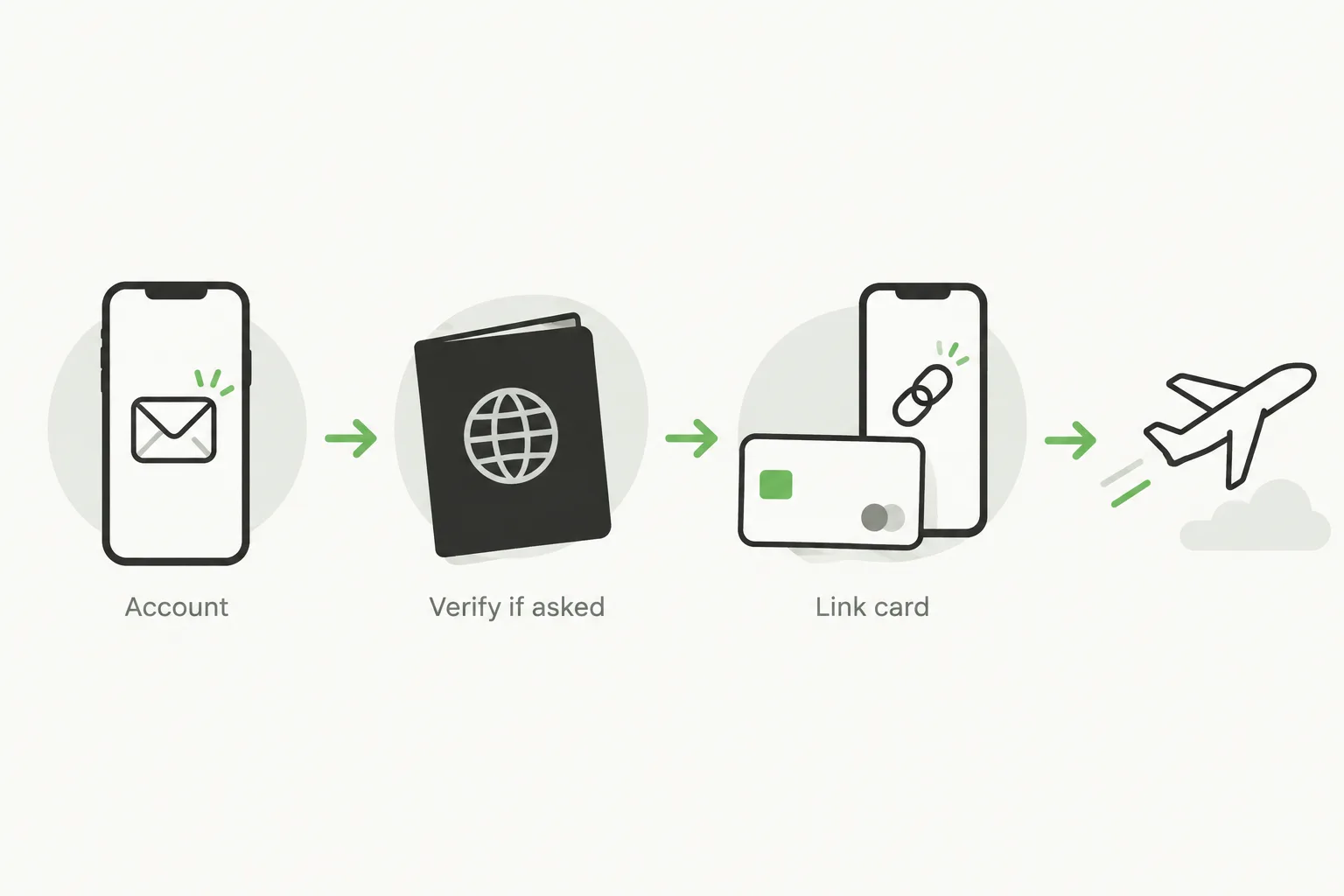
Setup overview, illustrated: prepare SMS access, your passport and an eligible card before departure. Follow the prompts in your own account; verification may occur while you add the card.
Optional walkthrough by Lyn | China Travel Made Simple, starting with setup and continuing to card linking. Use the current app prompts; the video's Apple Pay discussion is not a promise of universal card or merchant support.
Set up WeChat Pay, from 2:06Optional video · YouTube
YouTube may not load in mainland China. You can follow the written steps in this guide.
Ask BuddyWhich International Cards Work with WeChat Pay?
Ask Buddy ↗WeChat Pay has announced support for eligible overseas cards from major international payment networks.
| Card Network | General Availability |
|---|---|
| Visa | Eligible overseas cards supported |
| Mastercard | Eligible overseas cards supported |
| American Express | Eligible overseas cards supported |
| Discover | Eligible overseas cards supported |
| Diners Club | Eligible overseas cards supported |
| JCB | Eligible overseas cards supported |
| UnionPay | Available through applicable arrangements |
Actual eligibility depends on the issuing bank, card product, account verification, and current payment rules.
If your card is rejected during setup, contact your bank to confirm whether overseas digital-wallet payments are permitted.
For extra flexibility, consider preparing a second eligible card from another issuer.
How to Pay with WeChat Pay in China
Ask Buddy ↗There are two common payment methods you'll encounter while traveling.
The setup walkthrough reaches in-store payment at 6:23. Follow the written steps here for the payment method your merchant accepts.
Option 1: Scan a Merchant's QR Code
Ask Buddy ↗At some restaurants, shops, and cafés, you'll see a QR code near the cashier.
- Open WeChat.
- Select Scan.
- Scan the merchant's QR code.
- Enter the payment amount if prompted.
- Review the details and confirm.
Not every QR code supports foreign-linked cards. Personal collection codes and merchant payment codes can have different eligibility requirements.
Option 2: Show Your Payment Code
Ask Buddy ↗At supermarkets and other staffed checkouts, the cashier may scan your payment code instead.
- Open WeChat Pay.
- Find your payment code.
- Select your linked card if necessary.
- Show the code to the cashier.
- Wait for the payment confirmation.
Always check the amount before approving a transaction, and don't share screenshots of active payment codes.
WeChat Pay Fees and Transaction Limits
Ask Buddy ↗Fees and limits are important when using an international bank card.
The standard arrangement is a 3% service fee on the full amount of eligible international-card transactions above RMB 200, with a waiver for transactions of RMB 200 or less.
Tencent announced a promotion in May 2026: eligible first-time international-card users can receive a service-fee waiver for 90 consecutive calendar days from their first transaction, on daily spending up to RMB 1,000. Check the offer and its current eligibility conditions in your app before relying on it.
Transaction limits can vary based on your account verification status, card issuer, and payment product.
Before making a large payment:
- Check the fee displayed in the app.
- Review your available payment limit.
- Confirm any foreign transaction fees charged by your bank.
- Keep another payment option available.
Don't assume that historical limits or promotional fee arrangements still apply to your account.
What If WeChat Pay Doesn't Work?
Ask Buddy ↗Even after successful setup, you may encounter a declined payment or verification problem.
| Problem | What to Try |
|---|---|
| Bank card won't link | Check card details and contact your issuer |
| Identity verification fails | Review passport information and follow in-app instructions |
| Payment is declined | Check bank restrictions, balance, and transaction limits |
| QR code doesn't accept your card | Ask for a merchant payment method or another checkout option |
| Verification SMS doesn't arrive | Check your registered number and roaming access |
| WeChat has no connection | Switch to a working network or use another payment method |
Avoid repeatedly attempting a payment if you're unsure whether the first transaction succeeded.
If you need assistance, use WeChat Pay's official in-app help rather than unofficial account-unlocking services.
WeChat Pay vs. Alipay: Do You Need Both?
Ask Buddy ↗Both WeChat Pay and Alipay are useful for international visitors.
| Feature | WeChat Pay | Alipay |
|---|---|---|
| QR-code merchant payments | Yes, where supported | Yes, where supported |
| Eligible international cards | Yes | Yes |
| Chinese bank account required | Generally no | Generally no |
| Messaging and local contacts | Integrated with WeChat | Not a primary feature |
| Travel-related services | Available through supported mini programs | Available through supported services |
Our recommendation: Set up one payment app as your primary option and keep the other as a backup.
If you already use WeChat to communicate with hotels or guides, activating WeChat Pay can be convenient.
FAQ
Ask Buddy ↗Can foreigners use WeChat Pay in China?
Yes. Eligible foreign visitors can link supported international bank cards and use WeChat Pay for participating merchant purchases, subject to account verification and payment restrictions.
Do I need a Chinese phone number?
Not necessarily. WeChat supports eligible international phone numbers, but additional verification may be required.
Can I transfer money to another person using WeChat Pay?
Foreign-linked cards generally support eligible merchant purchases rather than all wallet functions. Personal transfers and red packets may be unavailable without additional payment arrangements.
Is WeChat Pay accepted everywhere in China?
WeChat Pay is widely used, but acceptance isn't universal. Some merchants or payment scenarios may not support foreign-linked cards.
Final Tips
Ask Buddy ↗WeChat Pay can make shopping, dining, and everyday travel in China much more convenient.
For the best experience, register before departure, link an eligible card, complete any required identity verification, and check your payment options.
Keep Alipay, a physical card, or some Chinese yuan available as a backup. A working mobile connection and a charged phone are just as important as a successfully activated payment account.
With a little preparation, you'll be ready for most everyday QR-code payments during your China trip.
Sources
- Tencent — Weixin Pay setup for overseas visitors
- Tencent — Supported international card networks
- Shanghai Government — Overseas card fees and account limits
- Tencent — 2026 inbound payment upgrades and promotional fee waiver
- Optional walkthrough: WeChat Pay setup and payments, by Lyn | China Travel Made Simple.